

Automation has become an important part of how modern businesses manage their work. As responsibilities, customers, and workloads increase, relying entirely on manual processes can make it harder to stay productive and maintain consistent results.
Automation allows businesses to use technology to handle repetitive and predictable tasks with less manual involvement. This can help save time, reduce unnecessary work, improve consistency, and allow people to focus on activities that require judgement, creativity, and problem-solving.
However, automation is not simply about replacing manual tasks with software. The real value comes from identifying the right processes to automate and designing systems that support the way your business actually operates.
In this guide, we’ll explore why automation matters, where it can create the most value, common mistakes to avoid, and how to introduce automation without making your business unnecessarily complicated.
Table of Contents
1. Save Time on Repetitive Tasks
Many businesses spend significant amounts of time performing repetitive activities that follow the same steps each day or week.
Examples include sending routine notifications, entering information into spreadsheets, moving data between applications, scheduling appointments, generating reports, and updating records.
These tasks may only take a few minutes individually, but the time can add up considerably over weeks and months.
Automation can handle many of these predictable activities based on predefined rules. This allows employees and business owners to spend more of their time on work that requires human judgement rather than repeatedly completing the same administrative steps.
The goal is not to eliminate every manual task. Instead, identify repetitive activities that provide little value when performed manually and determine whether automation can handle them reliably.
2. Improve Consistency and Accuracy
Manual processes can introduce errors, particularly when people have to repeat the same task many times.
Information may be entered incorrectly, steps may be forgotten, or a routine process may be completed differently by different people.
Automation can help create greater consistency by following the same predefined instructions each time a process is triggered.
For example, a business could automatically send a confirmation when a customer submits a form, update a record when an action is completed, or notify a team member when a particular task requires attention.
Automation does not guarantee that mistakes will disappear. Poorly designed workflows can still produce incorrect results. However, well-tested automation can reduce the risk of common human errors in repetitive processes.
3. Make Better Use of Your Time
Time is one of the most limited resources in any business.
When people spend large portions of their working day on repetitive administration, there is less time available for activities that directly contribute to business growth.
Automation can help shift this balance by allowing routine processes to happen in the background.
Instead of manually checking whether a task needs to be completed, a notification or automated workflow can prompt the appropriate person when an action is required.
This can create more space for activities such as serving customers, improving products, developing new ideas, analysing performance, and building relationships.
The benefit is not simply doing more work. It is making better use of the time available.
4. Improve Customer Experience
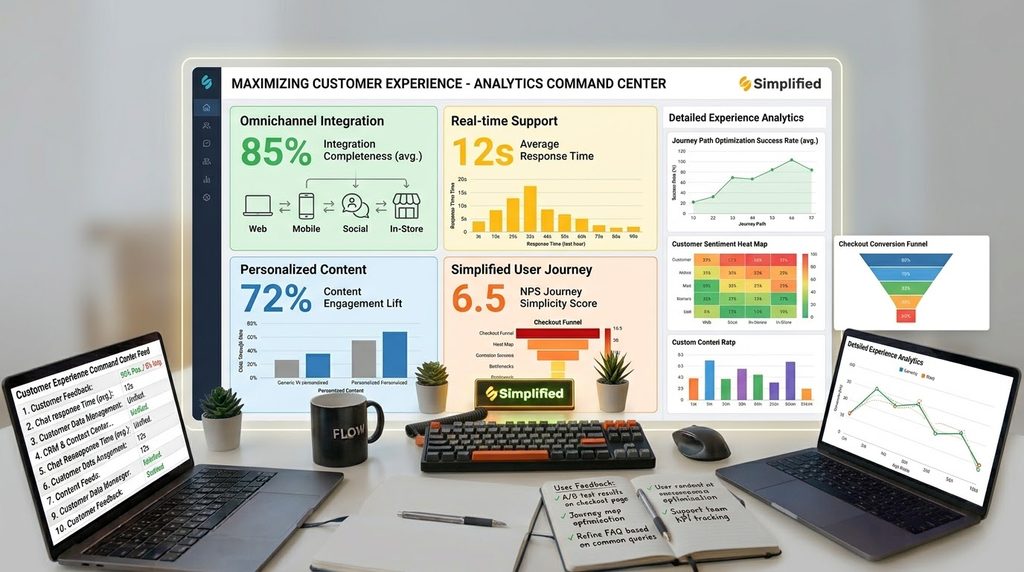
Automation can also improve how businesses communicate with and support customers.
Customers often expect timely responses and clear communication. Delays caused by manual processes can make it harder for a business to provide a consistent experience.
Automated confirmations, reminders, follow-ups, appointment notifications, and onboarding messages can help keep customers informed without requiring someone to manage every interaction manually.
However, automation should not make customer communication feel impersonal. Businesses should identify which interactions are suitable for automation and which situations require direct human involvement.
The best approach combines automation for routine communication with personal support when customers need advice, clarification, or problem-solving.
5. Help Your Business Scale
One of the biggest advantages of automation is that it can help businesses handle increasing workloads without requiring every additional task to be performed manually.
A process that works when a business has ten customers may become difficult to manage when it has hundreds or thousands.
Automation can provide a more repeatable way to handle predictable processes as demand increases.
For example, automated workflows can help manage new enquiries, organise customer information, send notifications, update records, or move information between connected systems.
This does not mean automation replaces the need for people. As a business grows, human oversight remains important. Automation simply allows existing resources to be used more efficiently.
6. Connect Your Business Systems

Modern businesses often use multiple software platforms to manage different areas of their operations.
One system may manage customers, another may handle communication, another may manage projects, and another may process payments or store documents.
Without integration, employees may have to move information manually between these systems.
Automation can connect different applications so that an action in one system triggers a corresponding action in another.
For example, a new customer enquiry could be added to a CRM, assigned to the appropriate team member, and followed by an automated notification.
Connecting systems in this way can reduce duplicate data entry and create smoother workflows.
However, integrations should be introduced with care. Connecting every available application can create unnecessary complexity. Start with the processes where moving information manually creates the most friction.
7. Start Small and Improve Gradually
A common mistake is trying to automate too many processes at once.
Large automation projects can become difficult to manage if the underlying processes have not been clearly understood or documented.
A better approach is to start with one repetitive process that has clear rules and a measurable benefit.
Document how the process currently works, identify unnecessary steps, and determine which parts could be automated.
Then build and test the automation before relying on it for important business activities.
Once the workflow is working reliably, you can look for other areas where automation could provide similar benefits.
Gradual improvement makes it easier to identify problems and allows your automation systems to develop alongside your business.
8. Avoid Automating Poor Processes
Automation can make an inefficient process happen faster, but it does not automatically make that process better.
Before automating a workflow, ask whether every step is actually necessary.
Look for duplicated tasks, unnecessary approvals, repeated data entry, and other sources of friction. Simplifying the process first can often make the resulting automation more effective.
It is also important to monitor automated processes after they are introduced. Business requirements can change, software integrations can be updated, and workflows that once worked well may eventually need adjustment.
Automation should therefore be treated as an ongoing improvement process rather than a one-time project.
Automation Readiness Checklist
Before automating a business process, ask:
- Is the task repetitive and predictable?
- Does the process happen frequently enough to justify automation?
- Are the steps clearly understood?
- Can unnecessary steps be removed first?
- Are the rules and conditions clear?
- What could happen if the automation makes a mistake?
- Does the process involve sensitive customer or business information?
- Can the automation be tested safely before going live?
- Who will monitor the process after implementation?
- Can the automation be changed or stopped if requirements change?
If a process is unclear, constantly changing, or heavily dependent on human judgement, it may not be the best candidate for automation.
Start with simple, predictable processes where the potential benefit is clear.
Wrapping Up Key Insights
Automation can help businesses save time, improve consistency, support customers, and handle growing workloads more efficiently.
However, successful automation is not about automating everything. It is about identifying repetitive processes where technology can provide genuine value while allowing people to focus on work that requires judgement, creativity, and human interaction.
Start small, improve the underlying process before automating it, and monitor your workflows regularly. As your business grows, you can gradually expand automation into other areas where it can reduce unnecessary work and improve operational efficiency.
The most effective automation systems are practical, reliable, and designed around real business needs. When implemented thoughtfully, automation can become an important part of building a more efficient and scalable business.
Leave a Reply